Google Chrome
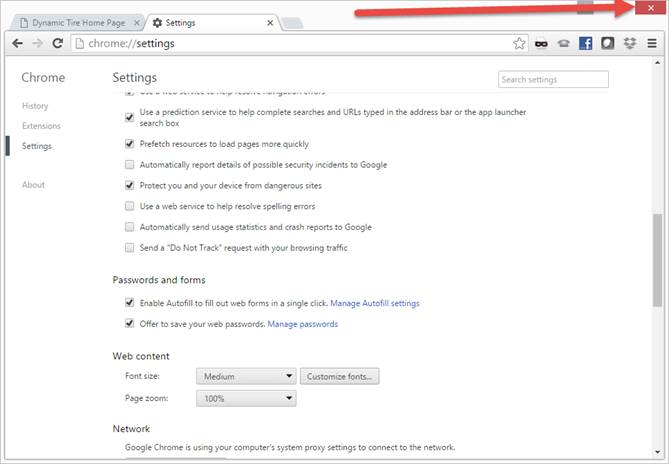
Click on Tools (3 Horizontal Lines) -> Select “Settings”

Scroll to the bottom and select “Show advanced settings…”
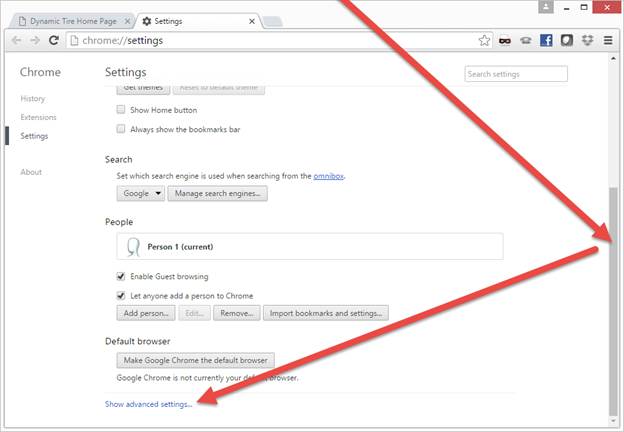
Scroll down a little further and select “Clear browsing data…”

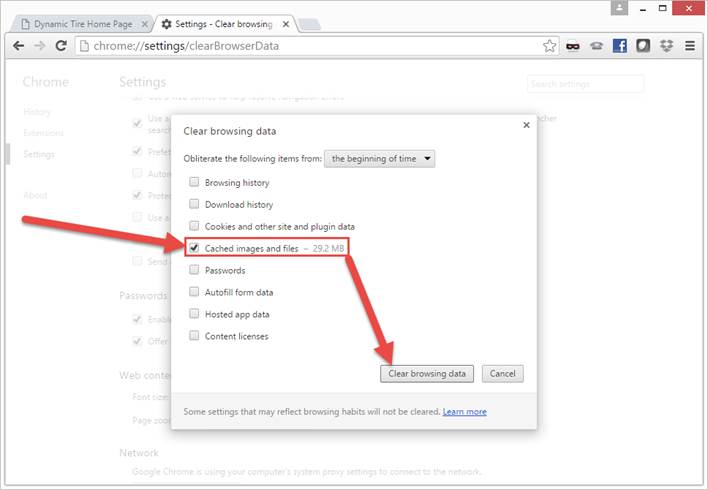
Ensure “Cached images and files” is checked off, and click on “Clear Browsing data”
Exit and restart the browser